
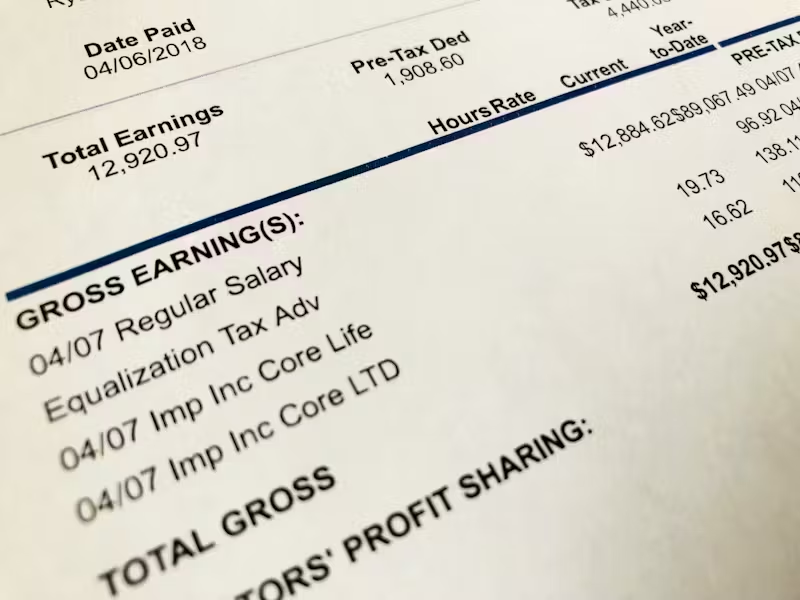
Managing your income effectively starts with understanding where your money comes from and where it goes. While many workers focus on their bank statements or paycheck deposits, pay stubs are one of the most powerful tools for tracking earnings. They provide a detailed breakdown of wages, deductions, and net pay, helping employees gain financial clarity and plan ahead.
If you’ve ever wondered how to use your pay stubs to monitor income more effectively, this guide will walk you through everything you need to know.
What Is a Pay Stub?
A pay stub is a document issued by an employer that shows the details of an employee’s earnings for a specific pay period. Depending on your workplace, you might receive paper pay stubs along with your paycheck or electronic versions through an online portal.
A typical pay stub includes:
- Gross earnings – total pay before deductions.
- Net earnings – take-home pay after taxes and other deductions.
- Deductions – such as taxes, insurance premiums, and retirement contributions.
- Year-to-date (YTD) totals – showing cumulative earnings and deductions.
Why Use Pay Stubs to Track Your Earnings?
While it may seem easier to just look at your bank deposits, pay stubs reveal much more than the final number you receive. Here’s why they matter:
- Transparency – Pay stubs let you confirm your employer is paying you correctly based on your hourly rate or salary.
- Budgeting – Knowing your exact net income helps you plan monthly expenses accurately.
- Tax Preparation – Pay stubs show how much federal, state, and local tax has been withheld.
- Proof of Income – Landlords, lenders, and government agencies often require pay stubs for verification.
- Spotting Errors – Mistakes in pay calculations or benefit deductions are easier to catch.
Step-by-Step Guide: Tracking Earnings with Pay Stubs
1. Review Your Gross Pay
Your gross pay is the total amount you earn before taxes or deductions. If you’re paid hourly, multiply your hours worked by your rate. For salaried employees, this is typically a fixed amount each pay cycle. Tracking gross pay helps you:
- Verify your employer calculated your wages correctly.
- Estimate potential earnings before deductions.
- Compare overtime or bonus pay with previous stubs.
2. Check Deductions and Withholdings
Deductions are amounts subtracted from your gross pay. They typically include:
- Federal and state income tax
- Social Security and Medicare contributions (FICA taxes)
- Health insurance premiums
- Retirement plan contributions (401k, IRA, pension)
By reviewing these, you can ensure:
- Your tax withholdings align with your W-4 form.
- Insurance or retirement contributions are deducted correctly.
- No unauthorized deductions are being made.
3. Focus on Net Pay (Take-Home Pay)
Your net pay is the actual amount deposited into your bank account. It’s crucial for budgeting because it reflects what you can spend or save. Monitoring net pay over several pay periods can reveal patterns such as:
- Seasonal changes in income (for gig or hourly workers).
- The financial impact of overtime.
- Differences due to benefit enrollment changes.
4. Pay Attention to Year-to-Date (YTD) Totals
One of the most valuable parts of a pay stub is the year-to-date (YTD) column. It shows your cumulative earnings and deductions since the beginning of the year. This feature helps you:
- Track how much you’ve earned so far.
- Compare annual earnings with your salary or income goals.
- Monitor tax withholdings to avoid surprises during tax season.
5. Organize and Store Pay Stubs
Tracking income requires consistency. Whether you receive digital or paper stubs, always keep them organized. Here are some tips:
- Digital storage – Save electronic copies in a secure folder labeled by year and month.
- Paper filing – Use labeled folders or binders for easy reference.
- Apps & software – Some budgeting tools allow you to upload or sync pay stub data.
Having past pay stubs accessible can help with disputes, loan applications, or financial planning.
6. Compare Pay Stubs to Bank Statements
Cross-checking your net pay on your pay stub with your bank deposits ensures accuracy. If the numbers don’t match, it could indicate:
- Payroll errors.
- Bank processing issues.
- Incorrect account details.
Catching these discrepancies early prevents financial headaches later.
7. Use Pay Stubs for Financial Planning
Pay stubs aren’t just records of earnings; they’re tools for planning. You can use them to:
- Estimate annual income and create realistic budgets.
- Plan for retirement contributions.
- Adjust tax withholdings if you notice under- or over-deductions.
- Track overtime or bonuses to plan extra savings.
Tips for Making the Most of Pay Stubs
- Review every pay period – Don’t wait until tax season to check accuracy.
- Highlight changes – If your deductions suddenly increase, investigate immediately.
- Leverage technology – Use budgeting apps that allow manual input of pay stub details.
- Seek professional help – If something looks unclear, consult a tax advisor or HR department.
Common Mistakes Employees Make with Pay Stubs
- Ignoring small discrepancies – Even small errors can add up over time.
- Not keeping pay stubs – Losing them can make it difficult to prove income.
- Overlooking YTD figures – These are essential for understanding your full financial picture.
- Confusing gross with net pay – Always plan your budget based on net income, not gross.
Final Thoughts
Tracking your earnings through pay stubs is one of the smartest financial habits you can adopt. Unlike a simple paycheck deposit, a pay stub gives you a transparent look into your income, taxes, and deductions. By reviewing each section—gross pay, deductions, net pay, and YTD totals—you can spot errors, plan better, and stay in control of your finances.
Read Related Articles:
Alabama State Labor Laws – Workers Rights Simplified